QR Code Pet Tags: How They Work, What They Cost and What to Check Before You Buy
 Shiloh’s House Team
·
·
16 min read
A QR code pet tag is a printed square that opens a web page about your pet when a finder points a phone camera at it, and that page lives on the tag maker’s server, not on the tag. Good ones cost about $10 to $25 one-time (PetHub, ByteTag, Dynotag), need no app for the finder and work on any camera phone. Before buying, check whether the profile stays free, whether the code is printed or etched, whether a phone number is printed as backup, and how privacy is handled.
Last updated: September 2025
How does a QR code pet tag actually work?
A QR pet tag is three parts: a printed code, a web address hidden inside it, and a profile page on a company server. The code holds nothing about your pet. Dynotag’s FAQ puts it plainly: the QR code is “computer-readable text,” and “all scanning the QR code does is start the web browser on that phone to open the web address of the dynotag.”
When your dog slips out, the chain looks like this. Someone finds the dog and notices the square on the tag. They open their phone’s camera, point it at the code, and a link pops up. They tap it and a browser page loads with whatever you chose to show: your name, phone numbers, vet, medications, “scared of men.” Most makers then notify you that the tag was scanned, and with the finder’s permission, send a map pin of where it happened.
The piece people miss is that the profile lives on the maker’s server. That is a feature and a risk at once. You can change your number after a move without buying a new tag, which is exactly what the 35.4 percent figure argues for. But the tag is only as alive as the company hosting it.
QR codes also carry built-in insurance against damage. According to DENSO WAVE, the company that invented the format, every code uses Reed-Solomon error correction at one of four levels, from about 7 percent of the code at Level L up to 30 percent at Level H, with Level M (15 percent) the most common. A tag printed at Level H survives far more scuffing than one at Level L, and most makers do not say which they used.

What does a finder actually see when they scan the tag?
We opened the finder-side pages of the three QR makers most pet parents run into. PetHub says a finder sees “your pet’s profile with the info you choose to share,” such as contact details, vet info, medications and behavior notes, with “no app” needed. ByteTag says a scan opens the profile on its website, “so the person who finds your pet doesn’t need to download an app,” and that each tag also carries a short typed URL as a fallback. Dynotag says its tags are viewable in “any modern web browser.”
What the finder does not see matters just as much. None of these pages are a tracker. ByteTag’s FAQ says it “is not an active tracker,” and the GPS location you receive is whatever the finder chooses to share at the moment of the scan. If nobody scans, nothing happens, a limit we cover for our own tag in do NFC pet tags work without the internet.
The finder also has to notice the code. A 2007 JAVMA study by Linda Lord and colleagues interviewed 156 people in Dayton, Ohio who had found a lost pet. Only 38 percent of those pets made it home, but every one of the six dogs wearing any kind of tag when found was reunited with its owner.
That is why PetHub prints a 24/7 Found Pet Hotline number beside the code and ByteTag prints a short URL. A finder who has never scanned a QR code can still dial or type. Treat that printed fallback as a must.
What do QR pet tags cost and do they charge a subscription?
Here is what we found on each maker’s own product and pricing pages in September 2025, with our NFC tag included for comparison. Prices are approximate and change often.
| Tag | Tech | About price | Subscription | Finder needs app? | Works offline for the finder? |
|---|---|---|---|---|---|
| PetHub Lightweight Aluminum QR Tag | Printed QR + hotline number | About $10 | Basic profile free; PetHub+ about $30/year or $3.99/month for scan-location alerts and community alerts; $199 lifetime | No | Only the printed hotline number |
| PetHub designed QR tags (Get Me Home Club and others) | Printed QR + hotline number | About $23 | Same as above | No | Only the printed hotline number |
| ByteTag Silicone or Metal | Printed QR + short typed URL | About $25 | None; “no monthly fee” | No (owner app optional) | No |
| Dynotag Super Pet ID (Amazon) | Coated steel QR + printed web address | About $21 | None; lifetime service included | No | No |
| Shiloh’s House Smart Tag | NFC chip + laser-engraved acrylic front | About $38 | None | No | Only the engraved text |
| Plain engraved metal tag | Engraving only | Varies widely | None | No | Yes, fully |
ByteTag and Dynotag sell the tag once and host the profile for life, by their own statements. Dynotag’s FAQ says there is “NO subscription charge,” with lifetime service “included in your initial purchase.” ByteTag’s product page lists “no monthly fee” and a free lifetime warranty with replacements for lost or broken tags.
PetHub is a hybrid. Basic membership, with the profile, multiple emergency contacts and the found-pet hotline, is free and PetHub says it always will be. The features that make a QR tag feel smart, a scan-location notification and lost-pet alerts to nearby shelters, sit in PetHub+, which was $29.99 a year or $3.99 a month when we checked, with a $199 lifetime option. Fair, as long as you know which side of the line you are buying.
Our own tag is the most expensive thing on the table. The $38 pays for an NFC chip inside the acrylic plus engraving on the front, made in the USA, with no subscription and no battery. If you only want a scannable profile on a $10 budget, PetHub’s aluminum tag with a free Basic account is the better buy.
Want the live profile without the printed code to scuff?
A Shiloh’s House Smart Tag seals the NFC chip inside waterproof, scratch-resistant acrylic and laser engraves your pet’s name and your number on the front. A finder taps the “Tap Phone Here” back with any modern phone and sees up to three contacts with one-tap Call, Text, Email and Map, plus medical notes and your voice message, no app required. About $38 one-time, no subscription, no battery, made in the USA.
How do QR pet tags fail in real life?
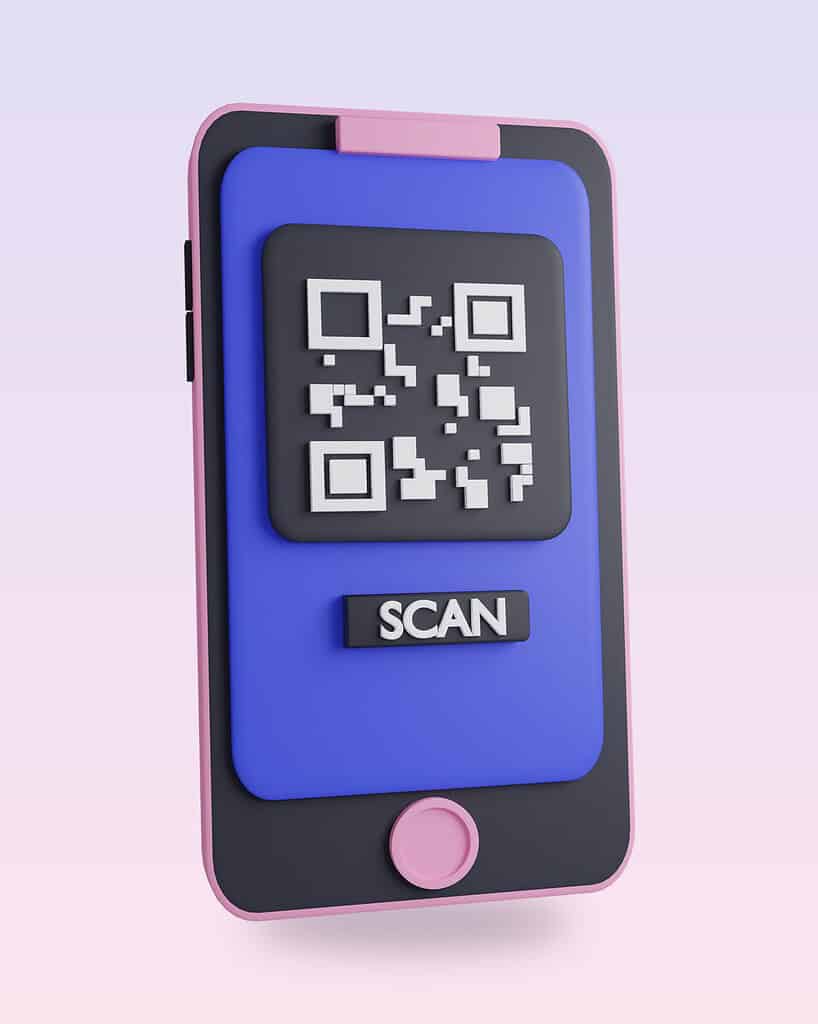
Every failure we could document falls into one of three buckets: the code cannot be read, the finder does not read it, or the link behind it is dead. Each has a cheap fix if you know about it before your pet goes missing.
The first bucket is the print. Most QR pet tags are ink or a laminated label under epoxy or silicone, and a collar tag lives a hard life against buckles, water bowls, fences and teeth. Scratches across the code eat into the error-correction budget described above. A code printed at the common Level M tolerates about 15 percent damage, but a deep scuff across one of the three large corner squares, which the camera uses to find and orient the code, can defeat it even when the rest looks fine. ByteTag promises a tag that is “scratch, bite, and fade resistant,” and Dynotag etches its code into coated steel for the same reason, but no maker promises the print will outlive the dog. Sun fading is slower and sneakier: the contrast between dark modules and light background drops a little every month until a phone can no longer lock on.
Size is the quiet cousin of print damage. A cat tag or small-dog tag an inch across leaves room for a code perhaps half an inch wide. A camera needs each tiny module to resolve as a distinct dot, so the smaller the code, the closer the phone must be and the more every scratch matters. Codes also need a blank margin, and designs that crowd a logo or paw print up to the edge of the code make scanning harder. Between a big plain code and a cute small one, the big plain one is the safer purchase.
Light is the next trap. Cameras read QR codes by contrast, and a glossy epoxy dome throws glare in direct sun while a dark garage or a 6 a.m. sidewalk starves the sensor. A finder who tries once in bad light and sees nothing happen often gives up and assumes the tag is decorative.
The second bucket is the finder. The 2007 Dayton study found finders are motivated, with 87 percent saying it was extremely important to them to find the owner, but motivation is not the same as knowing that a square on a collar is a link. Some finders are children. Some have older phones whose camera does not recognize codes without a separate scanner app. Some are holding a frightened dog with one hand and a leash with the other. With no phone number printed on the tag, that finder has nothing to fall back on.
The third bucket is the one nobody wants to think about: the link dies. The profile lives on a server the company pays for. If the company closes, changes platforms, lets the domain lapse or decides the free tier is no longer worth hosting, every tag it ever sold becomes a pretty piece of plastic. A lifetime promise is only as long as the company’s lifetime. Subscriptions add the same risk at your end: a card expires, the failed-payment email lands in spam, and the premium alerts you counted on quietly switch off. Tags whose profile only opens inside the maker’s own app add a third, because now the finder must install something before they can help.
None of this makes QR tags a bad idea. It means a QR tag should never be the only identification on the collar, and it should be tested on a schedule rather than trusted on faith.
What shows up publicly and how do you protect your privacy?
A QR profile is a public web page by design. Anyone who scans the tag at the dog park sees whatever you put on it, which is why the better makers give you controls. ByteTag says its Privacy Control lets you “hide your phone number and address from your pet’s profile whenever you want.” Dynotag says you can “protect your tag with a password.” PetHub’s free 24/7 hotline lets a finder reach you through PetHub without ever seeing your number.
Our suggestion is to layer it. The public page should carry one phone number that is always answered, the pet’s name, any medical or behavior note a stranger needs in the first ten minutes, and a reward line if that is true. Your home address, full name, work schedule and other pets’ names do not belong on a page any passerby can open. Keep deeper details behind a password or a “lost mode” switch if the maker offers one.
Then keep it current. Linda Lord, the Ohio State veterinarian whose shelter study produced the 35.4 percent figure above, drew the lesson that applies to every profile-based tag.
“The chip is only as good as my ability as a pet owner to keep my information up to date in the registry.”
Linda Lord, DVM, PhD, assistant professor of veterinary preventive medicine, Ohio State University (Ohio State News, 2009)
Swap “chip” for “QR profile” and the sentence still holds. Updating a QR or NFC profile takes thirty seconds on your phone instead of a call to a registry, but it still requires you to remember.
How do you test your QR tag and what should you engrave as backup?
Put a monthly reminder on your calendar and run this five-minute check. Scan the tag outside in daylight from about a foot away, then again indoors under a lamp. Hand your phone to someone else in the house and ask them to scan it cold, without coaching, and watch whether they find the code and reach the page. Read every line as a stranger would: is the number right, the vet current, the medication list up to date? Then log in to the maker’s site and confirm your account and any paid plan are active.
While the tag is in your hand, inspect the print for lifting edges, haze, or a scratch across a corner square. Clean it gently; our guide on how to clean a pet ID tag covers what is safe for printed and smart tags. If a scan takes more than a couple of tries in good light, order a replacement; ByteTag and Dynotag both advertise free lifetime replacements.
Then add the backup that needs no battery, server or scanning: a phone number you can read with your eyes. The Weiss, Slater and Lord survey published in Animals in 2012 found that 61 percent of lost dogs wore a personalized ID tag with a phone number, and a tag or microchip was the primary way 15 percent of recovered dogs got home. Only 25 percent of lost cats had such a tag, and two thirds of the cats never found had no identification at all. Our checklist of what to put on a dog ID tag walks through the exact lines: a mobile number that rings, a second number if you have one, and a medical flag if it matters.
If your QR tag has no room for engraving, add a second tag or an engraved slide-on; our post on how many tags a dog should wear explains how to stack them quietly.
When is a QR tag the better fit and when does NFC win?
QR tags win on reach and price. Any phone with a working camera can read one, including older phones with no NFC chip. There is no chip to fail and nothing for the finder to install. At about $10 for PetHub’s aluminum tag or $21 to $25 for a Dynotag or ByteTag with lifetime hosting, they are the cheapest route to an editable profile and scan alerts. They are light, which matters for cats and toy breeds, and a printed code can sit on silent silicone.
NFC wins on the moment of use. A finder holds the phone against the tag and the profile opens; there is no framing a tiny square in bad light. Apple documents that iPhone XS and later read NFC tags in the background with no app, showing a notification the finder taps. There is no print to scuff or fade, because the link sits in a chip sealed inside the tag, and our tags add engraving on the front so the number is readable with no phone at all. The trade is price, about $38 for ours, and a phone without NFC cannot read the chip side.
Where our tag loses is simple. It costs more, it has no GPS any more than a QR tag does, and acrylic is not chew-proof like a steel Dynotag. On a tight budget, buy a QR tag and engrave a number somewhere on the collar. If you want one tap, no print to wear out and engraving on the same tag, NFC plus engraving is the stronger single piece. Our NFC vs QR vs engraved pet tags guide has the full head-to-head, and our best smart pet tags roundup ranks products.
Whichever you pick, the profile is where the work lives. For Shiloh’s House tags, that profile is managed in our free Lohji app: up to three emergency contacts, medical and behavior notes, rabies vaccine ID and vet, a reward, and a recorded voice message with your pet’s name pronunciation, all editable whenever your number changes. The same app turns a photo of your pet into a cartoon Lohji for wallpapers, stickers and short videos. Get it on the App Store or Google Play.
Frequently asked questions
Does a QR code pet tag need an app to work?
Not for the finder, with the major brands. PetHub, ByteTag and Dynotag all state that a scan opens a normal web page in the phone’s browser with no download. Some makers offer an optional owner app for managing the profile and receiving scan alerts. Avoid any tag whose profile only opens inside the company’s own app.
Do QR pet tags have a monthly fee?
It depends on the brand. ByteTag and Dynotag sell the tag once and say profile hosting is included for life with no monthly fee. PetHub’s Basic profile and found-pet hotline are free, while scan-location and community lost-pet alerts are part of PetHub+, about $30 a year, $3.99 a month or $199 for life when we checked in September 2025.
Can a QR code on a pet tag wear out?
Yes. A printed code loses contrast to sun and picks up scratches from buckles, bowls and teeth. QR codes carry error correction, about 15 percent at the common Level M according to DENSO WAVE, so light wear is forgiven, but a deep scratch across a corner square or heavy fading can stop a scan. Etched steel outlasts printed labels. Test monthly and replace the tag when scans get slow.
What happens to a QR pet tag if the company goes out of business?
The code still scans, but the web address inside it leads nowhere, so the finder sees an error page instead of your contact details. This is the main structural risk of any profile-based tag, QR or NFC. The protection is an engraved or printed phone number that works with no server, plus a current microchip registration as the permanent layer.
Are QR pet tags safe for privacy?
Reasonably, if you use the controls. Anyone who scans the tag sees the public page, so keep it to a phone number, the pet’s name and urgent medical or behavior notes. ByteTag lets you hide your phone number and address, Dynotag lets you password-protect the tag, and PetHub’s hotline lets a finder reach you without seeing your number. Leave your home address off.
Is a QR tag or an NFC tag better for a lost pet?
Neither is a tracker; both rely on a finder. QR tags are cheaper and work on any camera phone, including phones without NFC. NFC tags open with one tap, have no print to scuff, and read in the background on iPhone XS and later. Our Smart Tag pairs NFC with engraving for about $38; a QR tag plus an engraved number gives similar coverage for less.
Sources
- Linda K. Lord, Walter Ingwersen, Janet L. Gray and David J. Wintz, “Characterization of animals with microchips entering animal shelters”, Journal of the American Veterinary Medical Association, 2009 — https://avmajournals.avma.org/view/journals/javma/235/2/javma.235.2.160.xml
- Ohio State University, “Microchips Result In Higher Rate Of Return Of Shelter Animals To Owners”, Ohio State News, 2009 — https://news.osu.edu/microchips-result-in-higher-rate-of-return-of-shelter-animals-to-owners/
- Linda K. Lord, Thomas E. Wittum, Amy K. Ferketich, Julie A. Funk and Päivi J. Rajala-Schultz, “Search methods that people use to find owners of lost pets”, Journal of the American Veterinary Medical Association, 2007 — https://avmajournals.avma.org/view/journals/javma/230/12/javma.230.12.1835.xml
- Emily Weiss, Margaret Slater and Linda Lord, “Frequency of Lost Dogs and Cats in the United States and the Methods Used to Locate Them”, Animals, 2012 — https://www.mdpi.com/2076-2615/2/2/301
- PetHub, “You have pets, we have the plans! (Pricing)”, PetHub, accessed September 2025 — https://www.pethub.com/pricing
- PetHub, “Lightweight Aluminum QR Pet Tag”, PetHub Shop, accessed September 2025 — https://shop.pethub.com/products/qr-id-pet-tag-aluminum
- ByteTag, “Explorer Silicone (product page)”, ByteTag, accessed September 2025 — https://shop.bytetag.co/products/explorer
- ByteTag, “FAQ”, ByteTag, accessed September 2025 — https://www.bytetag.co/faq
- Dynotag, “Pets: What is a dynotag smart tag? (store FAQ)”, Dynotag, accessed September 2025 — https://dynotag.com/store/CP_Pets
- Dynotag, “Web Enabled Super Pet ID Smart Tag, Deluxe Coated Steel (Fun Series)”, Amazon, accessed September 2025 — https://www.amazon.com/dp/B01DK7T3YS
- DENSO WAVE, “Error correction feature”, QRcode.com, accessed September 2025 — https://www.qrcode.com/en/about/error_correction.html
- Apple, “Adding Support for Background Tag Reading”, Apple Developer Documentation (Core NFC), accessed September 2025 — https://developer.apple.com/documentation/corenfc/adding-support-for-background-tag-reading