How to Take Good Photos of Your Pet: Phone Camera Tips That Actually Work
 Shiloh’s House Team
·
·
16 min read
To take good photos of your pet with a phone, get down to their eye level, shoot near a bright window with the flash off, tap the screen to focus on their eyes, and use burst mode for anything that moves. Keep sessions short and reward-filled. While you are at it this holiday season, take a few plain, well-lit ID shots too: a clear, current photo is one of the most useful things you can have if your pet ever goes missing.
Last updated: December 2025
Why is a clear pet photo worth more than a cute one?
December is when most of us take more pet photos than any other month. There is the holiday card, the pet in front of the tree, the gift-opening chaos and the New Year’s Eve snuggle on the couch. Those photos are for fun. But the same skills that make a great holiday portrait also make a great identification photo, and that second kind can matter a lot more.
Here is why. When a pet goes missing, the photo you choose goes on flyers, social posts, shelter searches and lost-pet databases. The ASPCA tells owners to put a “clearly printed, recent photo” on a lost-pet flyer along with color, size and any distinguishing features. Photo-matching tools now compare pictures directly. In an April 2025 report, CBS News described how Petco Love’s lost-pet database uses AI to read up to 512 data points per pet and had helped reunite 100,000 owners with their pets since 2021.
A blurry shot of a dark shape on a dark couch gives a stranger or a computer very little to work with. A sharp, evenly lit photo that shows the face, the body shape and the markings gives them a lot.
You do not need a fancy camera. Every tip below works with the phone already in your pocket. If you are planning a card this year, our guide to making a pet Christmas card picks up where this one leaves off.
Which phone camera settings make the biggest difference?
Most bad pet photos fail for the same handful of reasons: too little light, focus on the wrong spot, a busy background or a pet who moved. Each one has a simple fix, and most of the fixes are already built into your phone’s camera app.
A few rules apply to almost every shot. Turn off the flash. The ASPCA Pet Health Insurance photo guide notes that flash can startle pets and often causes red-eye, and AKC breeder-photographer Beci Markijohn Beasley warns never to use flash on puppies. Use the main rear camera, not the selfie camera, which she says is grainier. Wipe the lens, because a smudge makes it harder for the phone to lock focus. And move closer with your feet instead of pinching to zoom, which throws away sharpness.
| Common problem | Quick fix | Phone setting to try |
|---|---|---|
| Dark, grainy indoor shot | Move your pet near a bright window, facing the light | Flash off; tap the face, then slide exposure up slightly |
| Sharp nose, soft eyes | Make the eyes the focus point | Tap on the eye closest to you before you shoot |
| Blurry pet in motion | Add light and hold the phone still with both hands | Burst mode (on iPhone, drag the shutter button left) |
| Pet lost in a cluttered room | Clear the background and move your pet away from it | Portrait mode for background blur |
| Pet is a dark silhouette | Do not put the window or sun behind your pet | Turn so the light falls on the face; tap to meter on the face |
| Soft, smeary detail | Walk closer instead of zooming | Highest resolution in camera settings; 1x lens |
Portrait mode deserves one caution. Danielle Cookish of Dakin Humane Society points out that phones simulate background blur with software, so it can stumble on fine edges like a cat’s whiskers. If whiskers look smudged, take a second frame in regular photo mode.
How do you get your pet to look at the camera?
Start by getting low. Photos taken from a standing position look down on your pet, shrink them and add shadows, Cookish explains, and they make eye contact harder. Kneel, sit or lie on the floor so the lens is level with your pet’s eyes. For small pets she suggests flipping the phone upside down so the lens sits even closer to the floor.
“The most important tip is to get level with the dog, which usually means getting on your knees or lying on the ground.”
Karen Moureaux, breeder and photographer, Contact Point Photography, American Kennel Club (2020)
Then give your pet a reason to look your way. Petfinder’s photo tips for shelters suggest using treats, toys and sounds to draw a pet’s attention to the camera and focusing on the eyes once you have it. A few approaches that work:
- Treat above the lens. Hold a treat between your fingers just above the phone so your pet’s gaze lands near the camera.
- A new sound. A squeaker, a crinkle toy or a quick kissy noise often earns a head tilt. Save the sound for the moment you are ready, because most pets stop reacting after a few tries.
- A helper. Have someone stand right behind you and call your pet’s name or wave a toy.
Do not insist on every shot being eye contact. Beasley told the AKC that some of the best photos come when a dog is looking past you or alert to something off camera. Those candid frames often show personality better than a stiff stare.
Shy pets need a slower start. Cookish suggests sitting with a nervous animal for a few minutes without taking pictures and letting them sniff the phone first. Once the camera is boring, it stops being scary.
How do you photograph a black pet or a white pet?
Very dark and very light coats confuse phone cameras. Auto exposure tries to make the whole scene look like a middle tone, so a black cat can turn into a murky gray blob or vanish into shadow, and a white dog can lose all the texture in its fur. You fix both the same way: control the light, choose the right background and set exposure on the face.
For black dogs and cats:
- Use soft, bright light from a window or open shade, with your pet facing the light. Harsh sun creates glare on some parts of the coat and deep black shadows on others.
- Pick a lighter or mid-tone background. Petfinder’s listing tips recommend lighter backgrounds for dark coats and darker backgrounds for light coats.
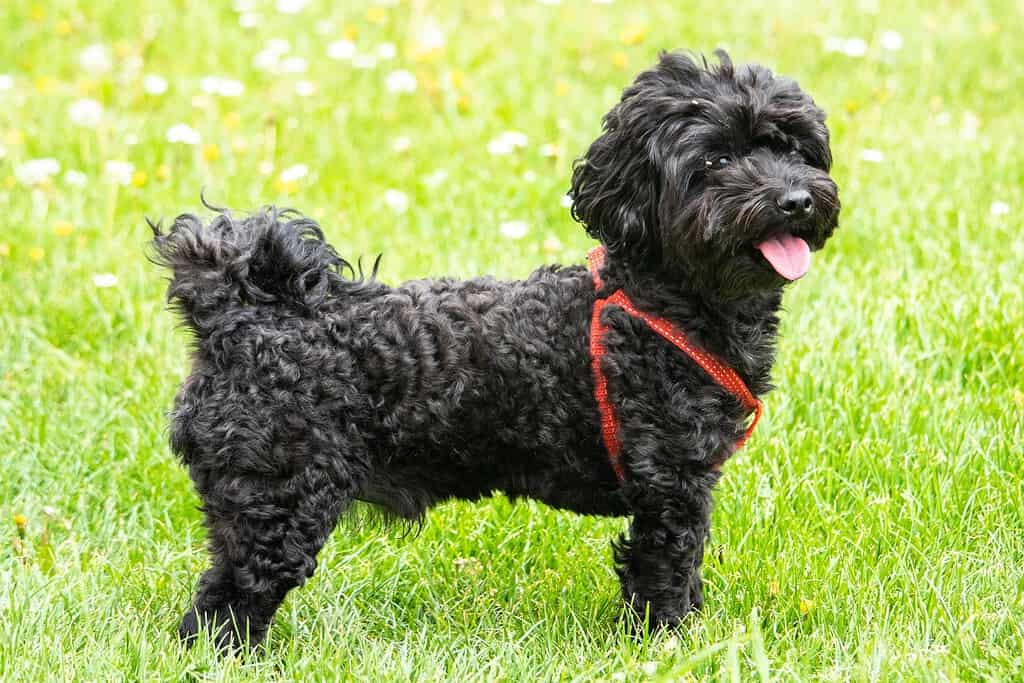
- Tap on the face, then drag the exposure slider until the fur looks black but you can still see texture and the eyes have a sparkle of reflected light.
For white and cream pets, do the opposite. Avoid direct midday sun, choose a darker or colorful background, and nudge exposure down a little if the fur looks blown out with no detail.
Tuxedo cats and black-and-white dogs are the hardest, because you are fighting both problems at once, so look for the most even light you can find. If you love a dark-coated pet, our post on black cat facts covers the myths that follow them around.
How do you get a sharp photo of a pet that won’t sit still?

Movement is the reason most pet photos end up blurry. A phone camera needs a certain amount of light to make a picture. In bright light it can take that picture very quickly, which freezes motion. In a dim living room it has to keep the shutter open longer to gather enough light, and anything that moves during that time, including your pet’s head or your own hands, turns into a smear. That is why the single best fix for blur is more light, not a better phone.
Start by putting your pet where the light is. Near a large window during the day is ideal. Outdoors, the ASPCA Pet Health Insurance guide and the Dakin Humane Society both recommend the softer light of the early morning or late afternoon, often called golden hour, over harsh midday sun. In winter that soft light arrives earlier in the afternoon than you might expect, so plan holiday photo sessions for the middle of the day indoors or the late afternoon outside.
Next, use burst mode. Burst takes a quick series of frames so you can choose the sharpest one afterward. On recent iPhones, Apple’s instructions are to drag the shutter button to the left and hold it, then lift your finger to stop. You can also turn on Use Volume Up for Burst in Settings and hold the volume button instead. The ASPCA Pet Health Insurance guide notes that on most phones you can turn on continuous shooting and hold the shutter button, so look for that option on Android. Cookish notes that burst works best when you keep the phone itself as still as you can, even when your pet is moving fast.
Steady your hands. Hold the phone with both hands, tuck your elbows against your body or rest them on your knees, and breathe out as you shoot. A small tripod or phone holder helps for posed shots, and AKC’s photographers recommend one if you have it.
For action, give your pet a predictable path. Have a helper hold your dog at one end of a hallway or yard while you lie on the ground at the other, then have the helper release them as you call. Shoot a burst as they run toward you. Most of the frames will miss. One good one is all you need.
Patience matters as much as settings. Pets lose interest fast, and the expression you want disappears the moment they feel pressured. Keep sessions to a few minutes, then take a break and play. Read body language as you go. Pinned-back ears, a drooping tail, lip licking and shaking are all signs your pet has had enough. When you see them, stop and try again another day.
Handle your pet calmly and gently. Do not hold a squirming cat in place for the shot or physically force a dog into a sit. If you need your dog to stay put, the AKC piece describes having a helper hold a thin leash snug with no slack, then editing the leash out later. For cats, set up near the spot they already love, such as a sunny windowsill or the top of the couch, and wait for them to settle there on their own.
Finally, take many more photos than you think you need. Extra frames cost nothing on a phone, and you can delete the rest in a minute.
Which photos should you keep on file in case your pet gets lost?
You probably have hundreds of pet photos already, but would any of them help a stranger recognize your pet running across a street? Holiday-card shots often fail that test because of costumes, odd angles or heavy filters. Take a separate set of plain identification photos while your pet is safe at home.
Guidance from the Lost Pet Research and Recovery project says the best poster picture is a full-body profile that shows your pet’s face, distinct body markings and body shape. Petfinder asks shelters to post at least one head shot and one full-body photo of every animal. The CDC suggests keeping a current picture of your pet, and one of you with your pet, on your phone. That second photo helps prove ownership if you are separated in an emergency.
| ID shot | What it should show | Where it helps |
|---|---|---|
| 1. Face, straight on | Eyes, ear shape, muzzle and facial markings, no hat or bow | Flyers, social posts, ID tag profiles |
| 2. Full body, side profile | Size, leg length, tail, coat pattern, standing | Posters, shelter searches |
| 3. Full body, front | Chest markings, feet, overall build | Lost-pet databases and photo matching |
| 4. Distinctive marking close-up | A spot, scar, odd-colored toe or kinked tail | Proving a found pet is yours |
| 5. You with your pet | Both faces clearly visible | Proof of ownership at a shelter or after a disaster |
Shoot these in even daylight, without filters, against a plain background. Save them in a dedicated album, and add the best face shot to your microchip registry and ID tag profile. We suggest redoing the set once a year, for example at the annual vet visit, and after any big change such as a puppy growing up or a dramatic haircut. Our step-by-step guide to finding a lost dog shows how these photos get used, and our checklist on what to put on a dog ID tag covers the rest of the profile.
Put that clear photo where a finder will see it
A Shiloh’s House Smart Tag opens your pet’s live profile when a finder taps it with any modern phone, no app needed, with their photo, your contacts and one-tap call, text and directions.
How do you keep holiday photo props and costumes safe?
A Santa hat or a festive backdrop can make a great card, but some classic holiday props are risky around pets. Build your set with safety first and keep the session short.
Skip the tinsel. The ASPCA warns that cats in particular love to bat at and carry tinsel, and that swallowing it can cause an obstructed digestive tract, severe vomiting and dehydration that may need surgery. The AVMA adds ribbons, wreaths and other decorative materials to that list and notes that breakable ornaments can cause injuries. Keep ornaments, bows and gift ribbon off the floor and out of your pet’s reach during the shoot.
Use battery-powered candles for any candlelit look, whether that is a menorah, a kinara or a table setting. The ASPCA and the AVMA both caution against leaving pets near lit candles, because a wagging tail or curious paw can knock one over. Keep string lights and cords out of chewing range too, since the AVMA notes chewed cords can cause burns.
Costumes should be comfortable or not worn at all. The ASPCA recommends dressing a pet only if you know they enjoy it and making sure the outfit does not limit movement, sight, or the ability to breathe, bark or meow. Check for small, dangling or easily chewed pieces, and try the outfit on before photo day. If your pet freezes, paws at the costume or looks stressed, switch to a simple festive bandana or collar accessory.
Set up before guests arrive. The AVMA reminds owners that pets can slip out the door when visitors come and go, so keep current ID on your pet all season.
How do you turn your best pet photo into a Lohji character?
Once you have a sharp, well-lit photo, you can do more with it than frame it. The Lohji app, listed as Lohji: Cartoon Your Pet on the App Store and Lohji: Cartoon Pet Avatar on Google Play, turns one clear photo of your pet into a 3D animated-movie-style character called a Base Lohji. Every other creation is generated from that character.
The same tips in this guide make a better Lohji. Choose a photo where your pet’s face is fully visible, in focus and evenly lit, without a hat or costume covering their features. The app accepts any image format, including iPhone ProRAW files up to 100 MB. You can also add optional details, such as eye color (including heterochromia, set separately for the left and right eye) and distinguishing marks, so the character looks like your pet rather than a generic breed.
From there, the app can make phone wallpapers, watch faces and stickers. The seasonal sticker set includes Christmas, Hanukkah, Kwanzaa and New Year’s Eve designs, which work well in holiday texts. A Slideshow feature shuffles your creations with music and can be shared as a movie. New accounts start with 10 free coins, coins never expire, and the app is not a subscription. For walkthroughs, see our guides to cartooning your pet with AI, our roundup of cartoon pet apps, how to set a pet phone wallpaper and how to make a video of your pet.
The Lohji app is also where you set up a Shiloh’s House Smart Tag profile, and it gives you a choice: Use Lohji on Tag or Use Photo on Tag. The cartoon is fun, but for a finder trying to match the dog in front of them to the profile on their screen, a real, current photo is usually the better pick. Use the face shot from your ID set. The app is free to download on the App Store and Google Play.
Frequently asked questions
What is the best phone setting for pet photos?
There is no single magic setting, but four habits fix most problems. Turn the flash off, shoot in bright natural light, tap the screen on your pet’s eye to set focus, and use burst mode whenever your pet is moving. Use the main rear camera at its highest resolution, and walk closer instead of pinching to zoom.
Should I use portrait mode for my dog or cat?
Portrait mode is great for blurring a cluttered background and making your pet stand out, especially in front of a Christmas tree. Phones simulate the blur with software, though, so fine edges like whiskers and fluffy ears can look smudged. Take a regular photo as a backup and compare the two at full size.
How do I stop my pet photos from being blurry?
Blur usually means too little light, so move your pet near a bright window or shoot outdoors in soft light. Hold the phone with both hands, brace your elbows and use burst mode so you can choose the sharpest frame. Tapping to focus on the eyes right before you shoot helps too.
How do you take a good picture of a black dog or cat?
Use soft, even light with your pet facing a window or open shade, and pick a lighter background so they stand out. Tap on the face to set exposure, then drag the brightness slider until the fur looks black but still shows texture. Avoid harsh midday sun and keep the light source in front of your pet, not behind.
What kind of photo should I use on a lost pet flyer?
Use one large, recent, sharp photo that shows your pet clearly, ideally a full-body side view that shows the face, markings and body shape. Avoid costumes, filters and photos with people or other pets in the frame. Keep a straight-on face shot and close-ups of distinctive markings saved on your phone as well.
How often should I update my pet’s ID photos?
A good habit is to retake a simple set of ID photos once a year, such as at your pet’s annual vet visit, plus any time they change noticeably. Puppies and kittens change fast, and a haircut, weight change or graying muzzle can make an old photo misleading. Update the photo on your microchip registry and tag profile too.
Sources
- CBS News — How AI is using facial recognition to help bring lost pets home (2025)
- American Kennel Club — Say Cheese! Take the Best Photos of Your Dogs (2020)
- Dakin Humane Society — Great Pet Photos with Smartphone Cameras (2024)
- ASPCA Pet Health Insurance — Pet Photography Tips & Tricks (2024)
- Apple Support — Capture action shots with Burst mode on your iPhone camera
- Petfinder Pro — Tips for Great Pet Listings
- ASPCA — Finding a Lost Pet
- Lost Pet Research and Recovery — Creating Effective Lost Pet Posters (2018)
- CDC — Build a Pet Disaster Preparedness Kit
- ASPCA — Holiday Safety Tips
- AVMA — Winter holiday pet safety
- ASPCA — Halloween Safety Tips